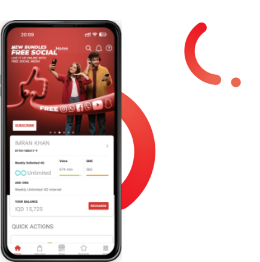
With Asiacell's Wi-Fi Calling Service, your calls are clearer and of higher quality, even in high places or basements, even in areas where traditional signal access is difficult. Connect directly to any Wi-Fi network, without downloading any additional apps. The service is free and automatically activated, ensuring clear voice and a continuous connection experience wherever you are in Iraq.
Manual guide for Wi-Fi Calling enabling
-
iPhone: Settings > Cellular > Wi-Fi Calling > Enable
-
Android: Settings > Connections > Wi-Fi Calling > Enable
-
Or you can open Settings, use the Search function, and type Wi-Fi Calling to go directly to the activation page.
FAQ
-
What is Wi-Fi Calling?
Wi-Fi Calling is a technology that allows Asiacell customers to make voice calls over Wi-Fi instead of relying solely on cellular coverage. This provides high-definition (HD) voice quality and ensures that data services remain uninterrupted during calls.
-
How is Wi-Fi Calling better than normal 2G/3G calls?
With the Wi-Fi Calling service, customers can make clearer calls in high-rise buildings or basements, even in places where it is difficult to reach a traditional signal
-
Will I be able to use Wi-Fi Calling automatically when I am connected to Wi-Fi and using a Wi-Fi-Calling-enabled mobile device?
Yes, if your device supports Wi-Fi Calling and it is enabled, your calls will automatically route over Wi-Fi when connected to a compatible Wi-Fi network.
-
Which network type can use Wi-Fi Calling?
Wi-Fi Calling uses any Wi-Fi network to carry voice calls instead of cellular networks like 2G, 3 G, or 4 G.
-
How do I know if my SIM card and phone support Wi-Fi Calling?
To check if your device and SIM support Wi-Fi Calling on the Asiacell network, dial *393# and follow the instructions, or check your phone settings for VoWiFi options
-
Will using Wi-Fi Calling consume my data allowance?
No, voice calls made over Wi-Fi Calling are billed as regular voice calls and do not consume your mobile data allowance.
-
What happens if I’m on a Wi-Fi Calling call and move out of Wi-Fi coverage?
If you lose Wi-Fi connection during a Wi-Fi Calling call, the call will seamlessly switch to the 4G cellular network, so your conversation continues without interruption.
-
Is there an additional charge for using Wi-Fi Calling?
No, Asiacell does not charge extra for using Wi-Fi Calling. Calls are billed according to your existing voice call rates.
-
How can I get further assistance regarding Wi-Fi Calling?
For more information or assistance, you can contact Asiacell's customer service:
Prepaid Subscribers: Call 111
Postpaid Subscribers: Call 252
B2B/Corporate Subscribers: Call 323